How to Transfer Money from Cash App to PayPal in 2025 (Step-by-Step Guide)
Ever found yourself scratching your head, wondering how to move your money seamlessly from Cash App to PayPal in 2025? You’re not alone! Many Nigerians in diaspora, U.S. users, and digital nomads want to move funds across these popular platforms, whether it’s for remittances, online shopping, or paying for freelance services. With rising limits, fee updates, and stricter cross-platform policies rolling in this year, it’s more important than ever to stay updated. This guide breaks it all down step by step so you can transfer your money safely and efficiently, no matter where you are.
Can You Transfer Money from Cash App to PayPal Directly in 2025?
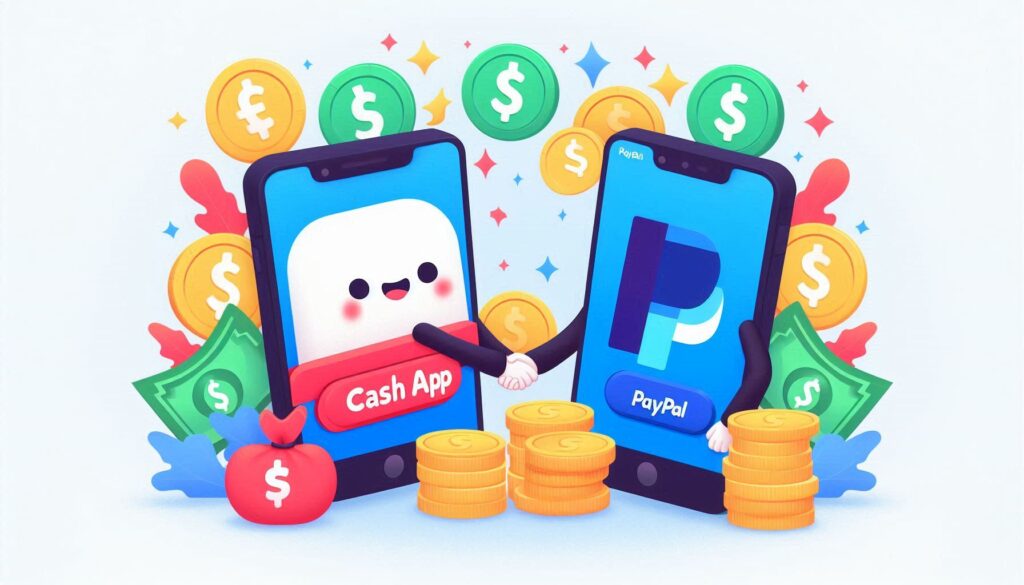
Here’s the hard truth: as of 2025, you still can’t transfer money directly from Cash App to PayPal. Although both platforms are giants in digital payments, they simply don’t play together natively—no direct integration or native connection exists between the two. So, while users have clamored for an easier bridge, nothing has changed in terms of direct transfers. But there’s good news ahead! You can still connect the dots using a few creative (and totally legit) workarounds.
Tools You’ll Need to Link Cash App and PayPal
Valid U.S. Bank Account (as a bridge)
You’ll need a U.S. bank account that works with both apps. Think of it as the “middleman” that helps ferry money from Cash App to PayPal and back again.
Linked Debit Card or Bank Transfer Setup
Both Cash App and PayPal let you add your debit card or link a bank account. This setup is key for moving your funds smoothly (and quickly).
You may like: The Ultimate Guide to Instant P2P Trading in Nigeria
Verified Cash App & PayPal Accounts
Make sure your accounts are verified! Unverified accounts get blocked or hit with limits, especially for Nigerian users or those slogging through KYC (Know Your Customer) checks.
Optional: Third-Party Wallets or Crypto Methods (for International Users)
Living outside the U.S.? Crypto wallets like Bitcoin or P2P exchanges such as CoinCola let you jump over regional and currency barriers, even if traditional bank links don’t work.
You may like:
Bitcoin Breaks $90,000: A Warning or the Ultimate Buy Signal for Nigerians?
How to Get Free Airdrop on Trust Wallet with No Gas Fee in 2025
Step-by-Step Guide to Transfer Money from Cash App to PayPal in 2025
Step 1: Link Your Bank Account to Both Apps
Open Cash App, tap “Banking,” and link your U.S. bank account. Do the same in PayPal by heading to “Wallet” and linking the very same bank. Make sure all info matches!
Step 2: Transfer Money from Cash App to Bank
Next, in Cash App, select “Cash Out.” Choose how much you want to transfer, pick your bank, and confirm it. Standard transfers usually take 1-3 business days, while instant may cost extra.
Step 3: Log into PayPal and Add Funds from Your Bank
Once the money has landed in your bank, log into your PayPal account, click “Add Money,” and pull the funds from your bank account. It’s like passing the baton in a relay race!
Optional Step: Use a Cash App Card to Add Funds to PayPal
If you have the Cash App Card, just add it as a debit card in PayPal, and add funds instantly. This route often skips some waiting and is especially handy for those in a rush.
Alternative Methods to Move Funds Between Cash App and PayPal
- Using a Cash App Debit Card with PayPal: Link your Cash App Card as a debit card in PayPal for speedy, card-based transfers.
- Using Cryptocurrency (e.g., Bitcoin): Buy Bitcoin on Cash App, send to a wallet or exchange like CoinCola, then sell for PayPal funds. Easy, borderless, and often faster!
- Using a Peer-to-Peer Exchange like CoinCola: The CoinCola P2P platform lets you swap Bitcoin or gift cards, with escrow protection for safe trades, even across Nigeria and the U.S..
- Sending to a Trusted Friend/Account: If you trust someone with access to both platforms, they can help you bridge the gap directly.
Common Issues and Troubleshooting Tips (2025 Edition)
Transfer Delays or Bank Holds
If your transfer is moving at snail’s pace, be patient—standard transfers can take a few days, especially during holidays or big events (like Nigeria’s festive periods or U.S. bank holidays).
Linking or Verification Errors
Always double-check your bank or card details. If you keep running into issues, confirm you’re using a supported bank or try re-verifying your KYC info.
Cash App or PayPal Account Limitations
Hitting limits? Both apps restrict unverified accounts. For Nigerians abroad, make sure you use U.S.-based banking details for full functionality.
Both platforms have rules on currencies and accepted regions. For cross-border moves—especially if you’re bridging Nigeria and the U.S.—crypto methods on CoinCola can cut through these barriers.
Fees Involved in Transferring Money Between Cash App and PayPal
Cash App Transfer Fees
PayPal Bank Withdrawal Fees
- Adding funds via bank may be free, but withdrawals can attract flat and percentage-based fees; in 2025, expect up to 4.9% for some cross-border deals.
International Transfer or Exchange Rate Costs
- Exchange rates and extra margins apply, especially moving Naira to Dollars or vice versa.
How Long Does It Take to Transfer Money Between Cash App and PayPal in 2025?
- Instant: Using cards (like the Cash App Card linked to PayPal) can be almost immediate, but may cost you.
- Standard: Bank transfers usually take 1-3 business days (from Cash App to bank), then PayPal takes another 1-5 days.
- Pro tip: Keep both apps verified and settled with the same bank/account details for smooth sailing.
Can Nigerians Use Cash App and PayPal Together?
For now, Cash App isn’t accessible in Nigeria directly. But Nigerians in the US, UK, and diaspora can use both apps if they have U.S. verification and banking. For transfers to Nigeria or within local fintech circles, peer-to-peer platforms like CoinCola shine, especially for trading crypto or converting gift cards.
Tips for Safe and Efficient Transfers in 2025
- Always enable 2FA (Two-Factor Authentication)
- Avoid sketchy sites—use only official apps and trusted P2P services like CoinCola.
- Don’t use unverifiable banks or accounts.
- Monitor your limits to avoid having your funds frozen or transfers blocked.
Why You Might Consider Using Crypto or Gift Cards Instead
CoinCola for Bitcoin to Cash App/PayPal Conversions
CoinCola makes it simple: buy Bitcoin, sell for PayPal or Cash App credit instantly at the current rate (check live rates here).
Benefits of P2P Crypto over Traditional Methods
P2P trading lets you skip bank drama and high transfer fees, and CoinCola’s escrow guarantees your crypto stays safe until you get paid.
Gift Card to PayPal/Cash App Conversions Using CoinCola
Got a pile of iTunes or Amazon gift cards? Exchange them for crypto or PayPal funds instantly on CoinCola—no waste, no hassle.
Final Thoughts
Moving money from Cash App to PayPal in 2025 isn’t as direct as most of us would like, but with the right steps (and maybe some Nigerian hustle), you can get it done. Using bank accounts or cards gets the job done, but for cross-border or restricted regions, crypto and P2P trading, especially on CoinCola, open new doors. Go for what’s safest, fastest, and most cost-effective for your needs!
FAQs
No, you must use a linked U.S. bank account or debit card as a bridge between the platforms.
Depending on your method: card transfers can be instant, but standard bank routes may take up to 5 business days.
Yes! CoinCola uses escrow for all P2P trades, keeping both your crypto and cash protected.
Not directly in Nigeria, but through U.S. accounts or third-party solutions (like crypto on CoinCola), yes.
Standard (non-instant) bank transfers generally offer the lowest fees. But for instant, low-cost swaps or to bypass regional restrictions, try crypto P2P on CoinCola.
For more tips on crypto, gift card trading, and cross-border money movement, explore other CoinCola blog posts and take charge of your digital finances!