How to Send Your USDC to Your Nigerian Bank Account
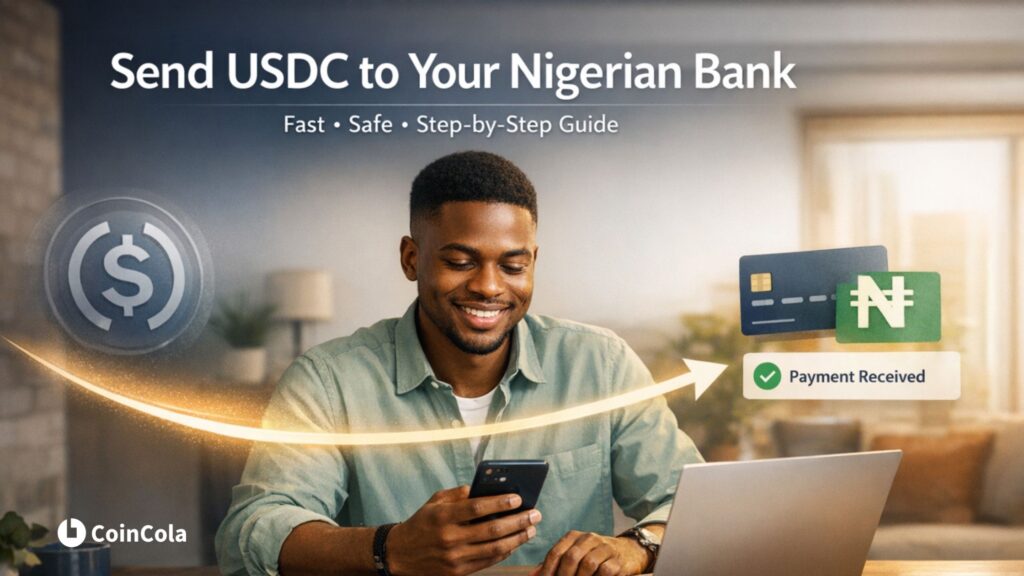
The Solution: To move your USDC from Stripe or Revolut to Nigeria, withdraw your funds via the Solana (SPL) network to your CoinCola wallet. Once received, use the CoinCola P2P Marketplace to sell your USDC for Naira (NGN). The buyer sends the money directly to your local bank account instantly.
The world of global payments has changed. If you are a freelancer getting paid via Stripe or a remote worker holding funds in Revolut, you no longer have to wait 5 business days for an international wire transfer that eats 10% of your paycheck in fees.
By using the Solana blockchain, you can now move your “Digital Dollars” from global fintech apps to your Nigerian bank account in under 10 minutes. Here is your step-by-step bridge.
Step 1: Exporting USDC from Stripe or Revolut
Both Stripe and Revolut now allow users to settle or withdraw funds in USDC. However, the most critical choice you will make is selecting the Network.
- In Stripe: Go to your payout settings and add your USDC destination address.
- In Revolut: Navigate to the “Crypto” section, select USDC, and click “Withdraw.”
⚠️ Critical Warning: When prompted to choose a network, you must select Solana (SPL). Choosing the wrong “road” can lead to high fees or lost funds. If you’re not sure why this matters, read our guide on Solana (SPL) vs. Ethereum (ERC-20) to see how the SPL network saves you from massive “Gas” charges.
New to Digital Dollars? If you’re wondering why everyone is switching to USDC for global payments, check out our full guide on what is USDC to understand how it stays pegged to the Dollar and why it’s the safest choice for Nigerians.
Step 2: Receiving Your Funds on CoinCola
To get your money into the Nigerian banking system, you need a local gateway. This is where CoinCola comes in.
- Open the CoinCola App: Go to your Wallet and select USDC.
- Click Deposit: Ensure you select the Solana (SPL) network tab.
- Copy your Address: This is your personal “digital mailbox.” Paste this address into Stripe or Revolut as your withdrawal destination.
Once you hit “Send” on Stripe or Revolut, the Solana network usually settles the transaction in less than 60 seconds.
Step 3: The “Magic” Move—Trading for Naira (NGN)
Now that your USDC is in your CoinCola wallet, it’s time to turn those digital dollars into spendable Naira.
- Go to P2P Market: Select USDC and set your currency to NGN.
- Choose a Buyer: Look for “Verified” merchants with high completion rates. They are looking to buy your USDC.
- Start the Trade: Enter the amount you want to sell. The buyer will see your bank details (GTB, Kuda, Zenith, etc.) and send the Naira to you.
- Release the Crypto: Only after you have confirmed the Naira has arrived in your bank app should you click “Release” to send the USDC to the buyer.
Pro-Tip: Need USDT instead?
Sometimes the P2P market offers different rates for different coins. If you prefer to hold or trade USDT (Tether) instead of USDC, you can easily swap your USDC to USDT here on the CoinCola exchange before you head to the P2P market.
Why This is the New “Gold Standard” for Nigerians
- Zero Middlemen: You don’t need a physical bank manager or a high-street bureau de change.
- Real Exchange Rates: You get the actual market value for your dollars, often much higher than the “official” bank rates.
- Total Control: You decide when to convert. If the Naira is volatile, you can keep your money in USDC and only withdraw what you need for daily expenses.
Conclusion: Your Phone is Now a Global Bank
The “Payment Pending” era is over. Whether you’re receiving a salary from London or a freelance fee from New York, the bridge to your Nigerian bank account is now open 24/7.
Ready to cash out? Log in to CoinCola and get your Solana-USDC address today.
FAQs
Yes. In the Stripe Express Dashboard, you can add a “Crypto Wallet” as your default payout method. By pasting your CoinCola USDC (Solana) address, Stripe will automatically convert your USD balance to USDC and send it to your CoinCola account every time a payout is triggered.
Because both platforms use the Solana (SPL) network, the transfer is nearly instant. Once Revolut approves the withdrawal, the funds typically appear in your CoinCola wallet in under 60 seconds. This is a massive upgrade from the 3–5 business days required for traditional bank transfers.
Stripe uses scalable networks like Solana and Base to keep transaction fees low for users. Choosing Solana is often preferred by Nigerians because of the deep liquidity for USDC-Solana on the CoinCola P2P market, making it easier to get a better Naira (NGN) exchange rate.
On CoinCola, your withdrawal limit depends on your KYC (Know Your Customer) verification level. While the Solana network can handle any amount, ensuring your CoinCola account is fully verified will allow you to trade larger amounts of USDC for Naira and move them to your bank without delays.
If your Revolut app doesn’t yet show the Solana option, you may need to update the app. However, if you must send via Ethereum, be prepared for higher “Gas fees.” In this case, it is often cheaper to wait until you have a larger balance to move, or check if you can swap to a Solana-supported asset first to save on costs.